
Configuration Repository Schema
Endpoint Configuration Schema is a tool that helps validate your JSON configurations that you manage with Configuration Repository, ensuring that your devices will receive the data they expect during the configuration updates.
If you are not familiar with the Configuration Repository feature yet, refer to the Overview section to learn more about it.
Use Case
For demonstration purposes, let’s apply the configuration from the previous tutorial.
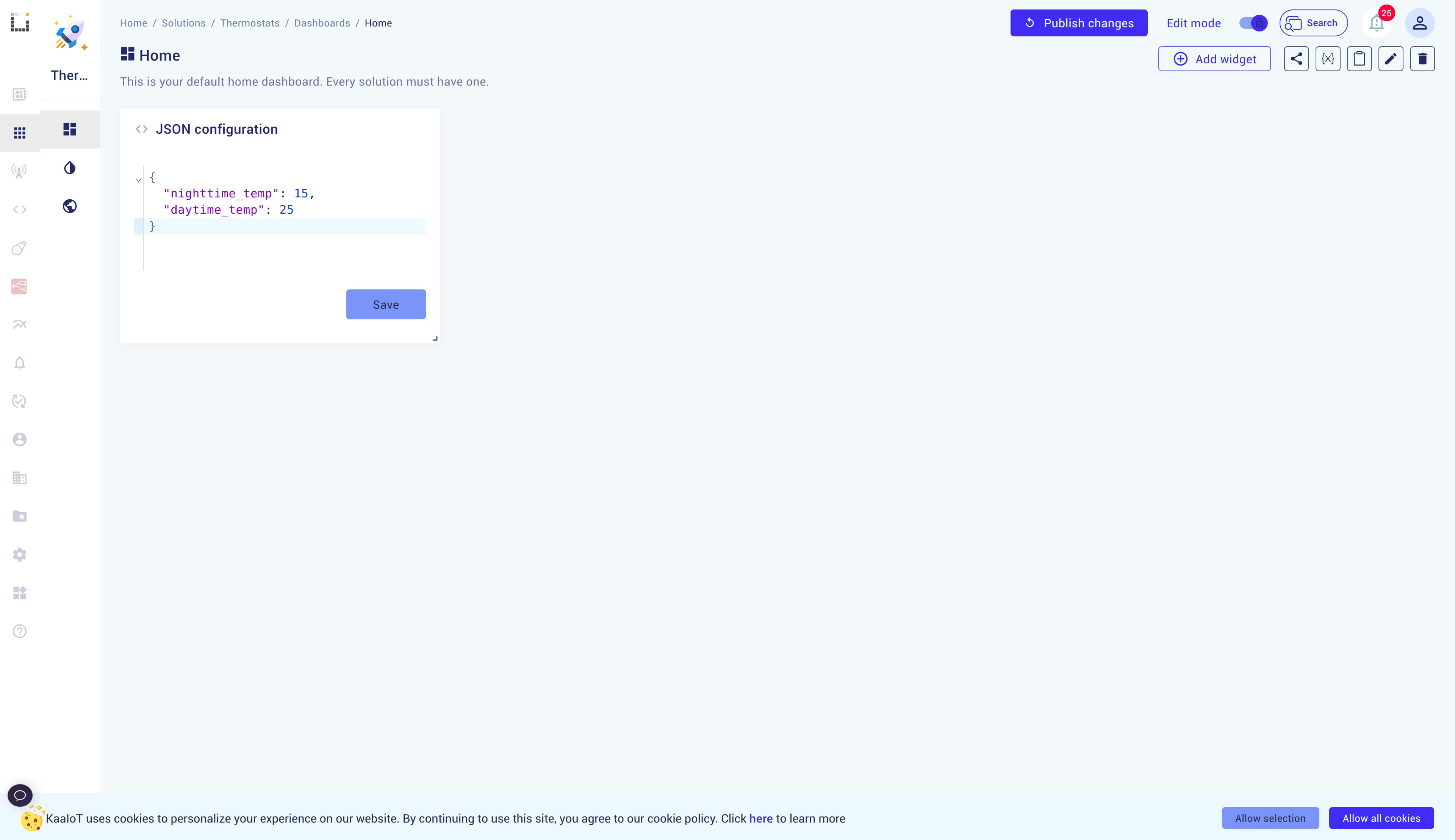
If we change the parameters and the data turns out to be something the device doesn’t expect, it likely won’t work.
To avoid this, we can use Endpoint Configuration Schema to validate the configuration.
How to apply Endpoint Configuration Schema
In the sidebar, navigate to Device Management -> Applications -> your application name -> ECR.
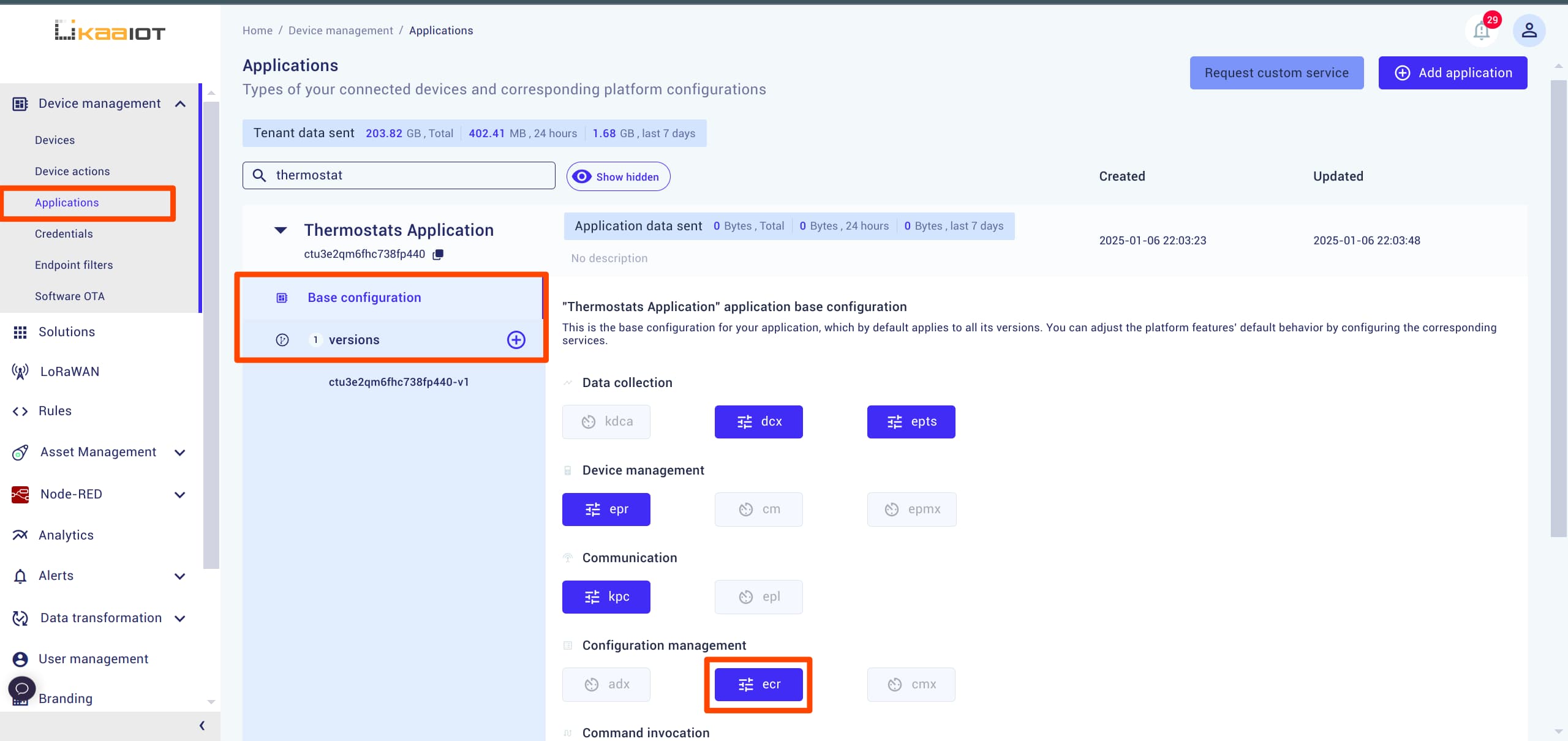
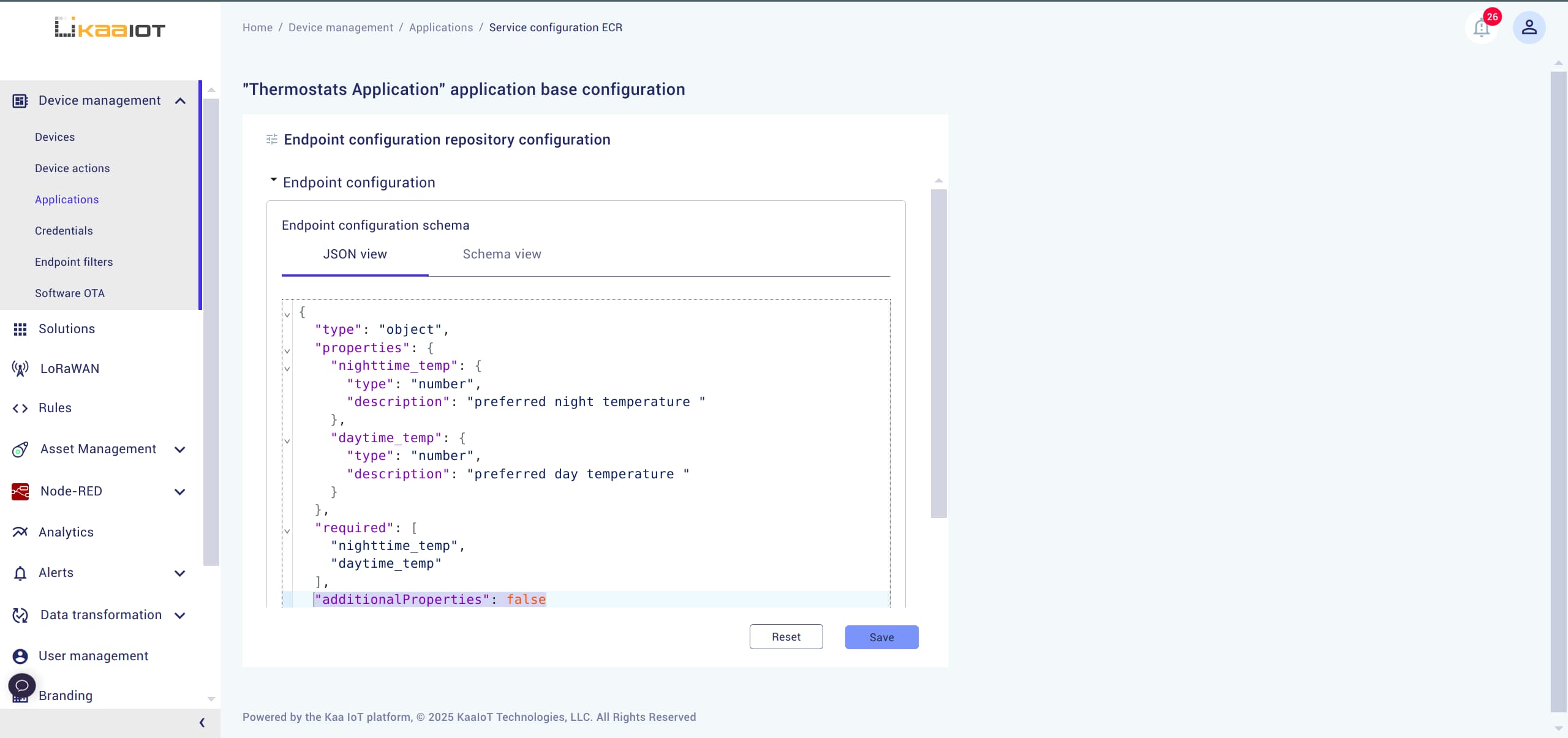
In the opened menu, there are two windows: JSON view and Schema view.
Both serve the same purpose, but in the JSON view, you provide raw code for your configuration, while in the Schema view, you can fill out a form.
Navigate to the Schema view tab.
Add the nighttime_temp and daytime_temp to the schema and save it.
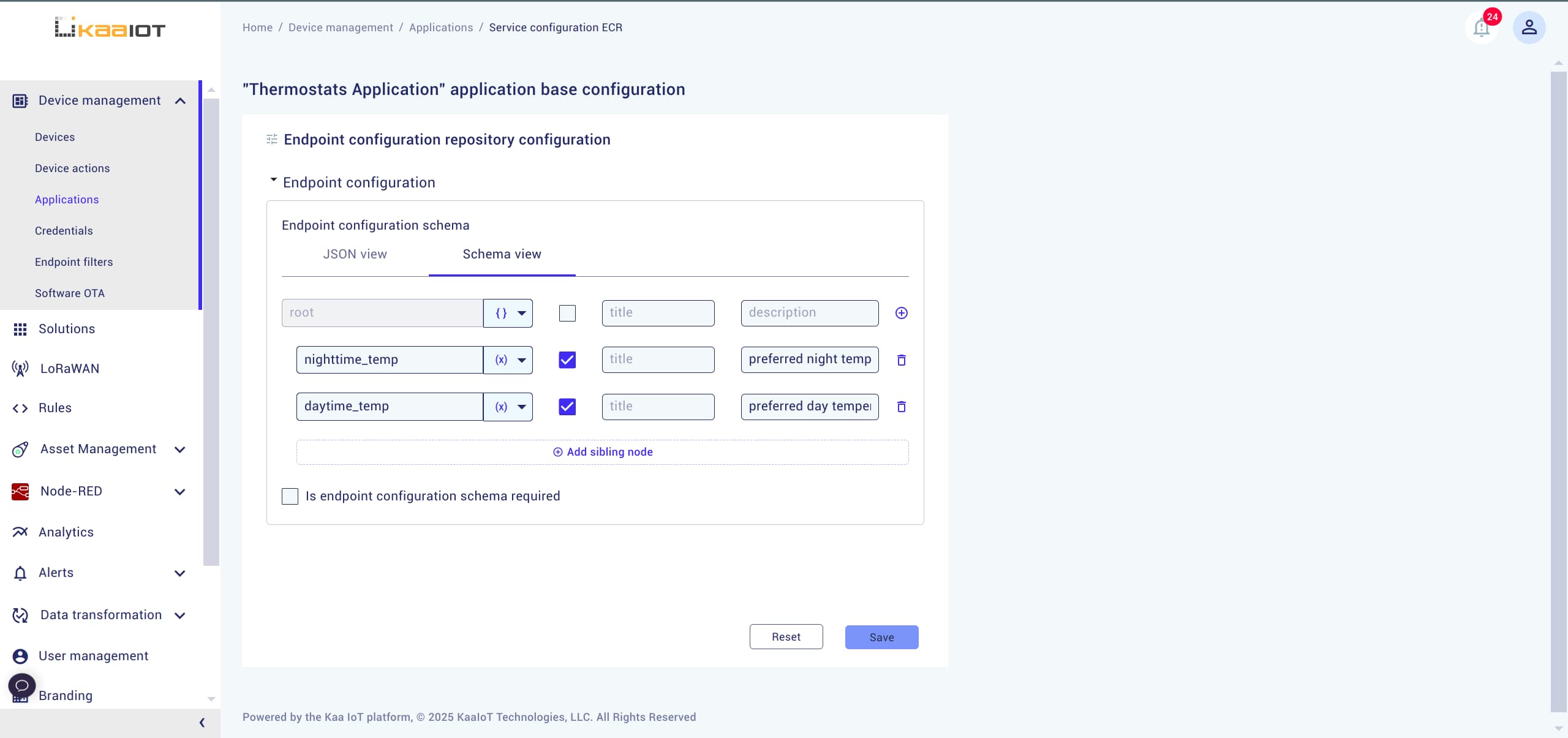
After saving, you’ll see that a new JSON was generated in JSON view tab.
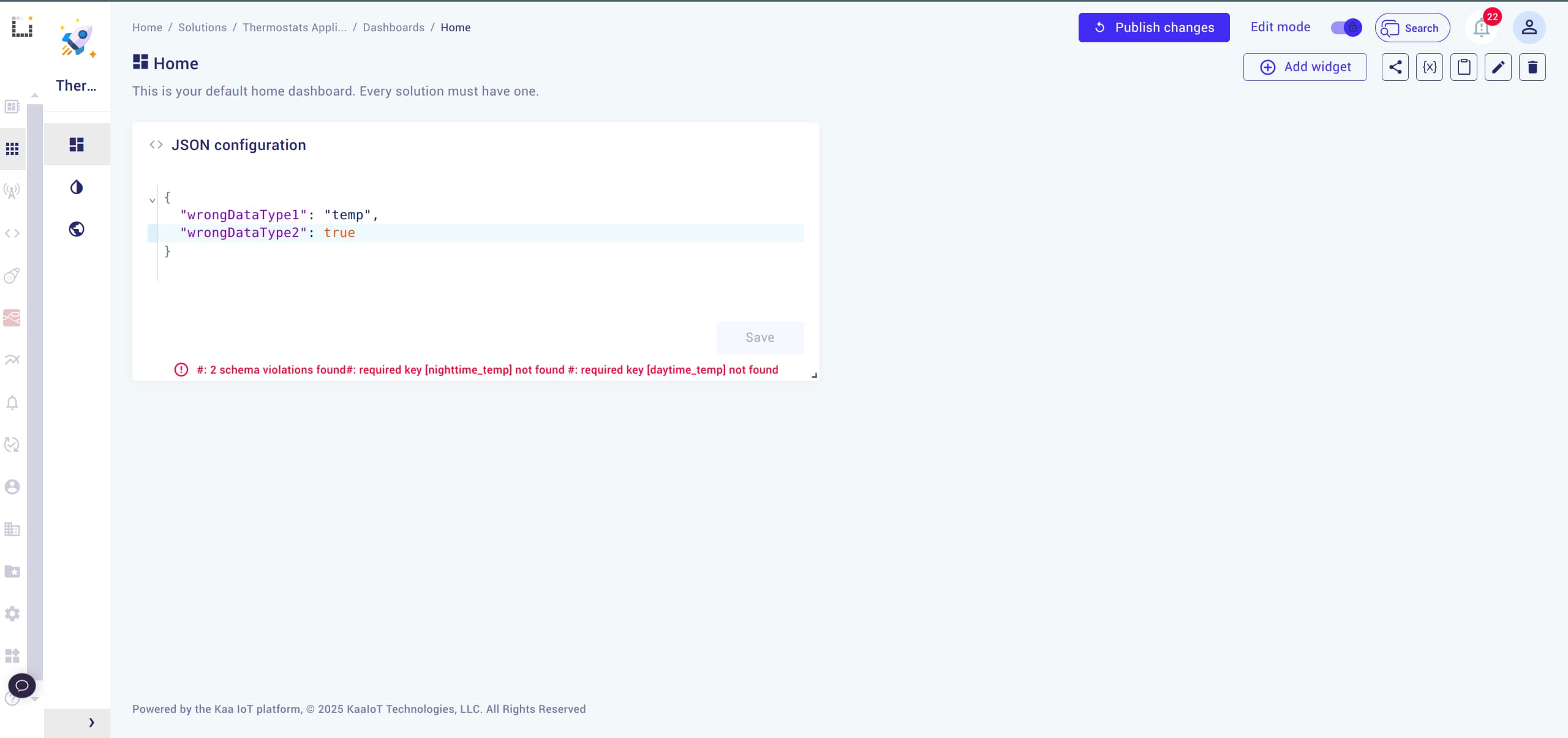
Now, navigate back to the Solution Dashboard and try changing the thermostat configuration.
As you’ll notice, the schema will validate your input and show an error if it’s incorrect.
Schema Options
- additionalProperties: To restrict additional, non-permitted fields in the schema, you can add the
additionalPropertiesproperty and set it tofalsein the core of your object schema.
- Is endpoint configuration schema required checkbox: Available in your app name -> Base Configuration -> ECR.
If set to
True, it will prevent sending any configurations if the Endpoint Configuration Schema is empty.
Conclusion
In this tutorial, we explored the Endpoint Configuration Schema, a tool for validating JSON configurations and maintaining consistency in device setups.