
Kaa Next Access Token REST API Authentication
You will need access token in order to interact with the Kaa REST API.
Warning: This page is dedicated to the Kaa Next version of the Kaa platform and does not apply to Kaa Cloud. If you are unsure which version of the Kaa platform you are using, see here.
How to obtain access token
- Log in to your Kaa Next account and navigate to “User Management” -> “Users”.
- In the Users page, select the account from which you want to generate an access token.
The access token inherits all access policies associated with this account.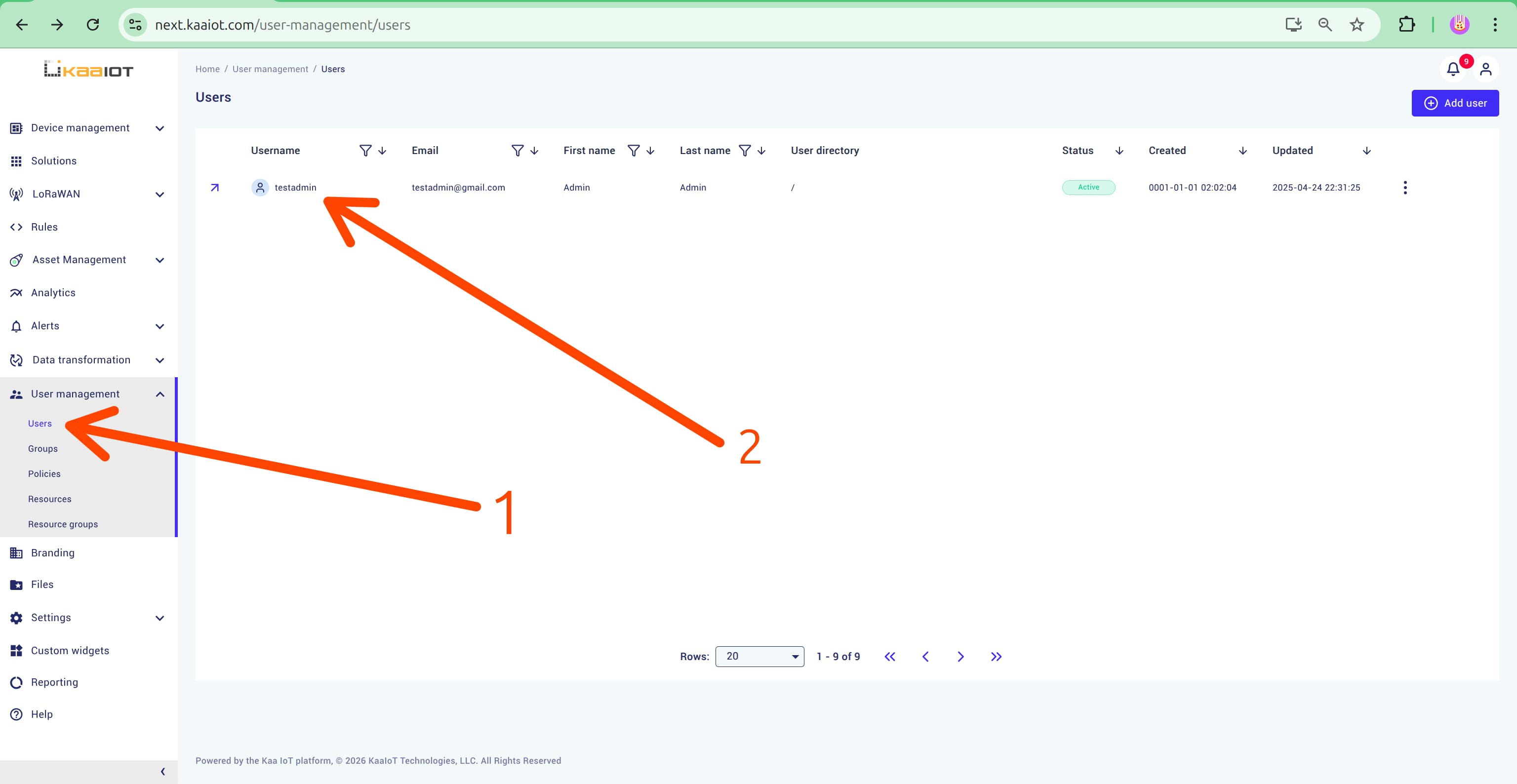
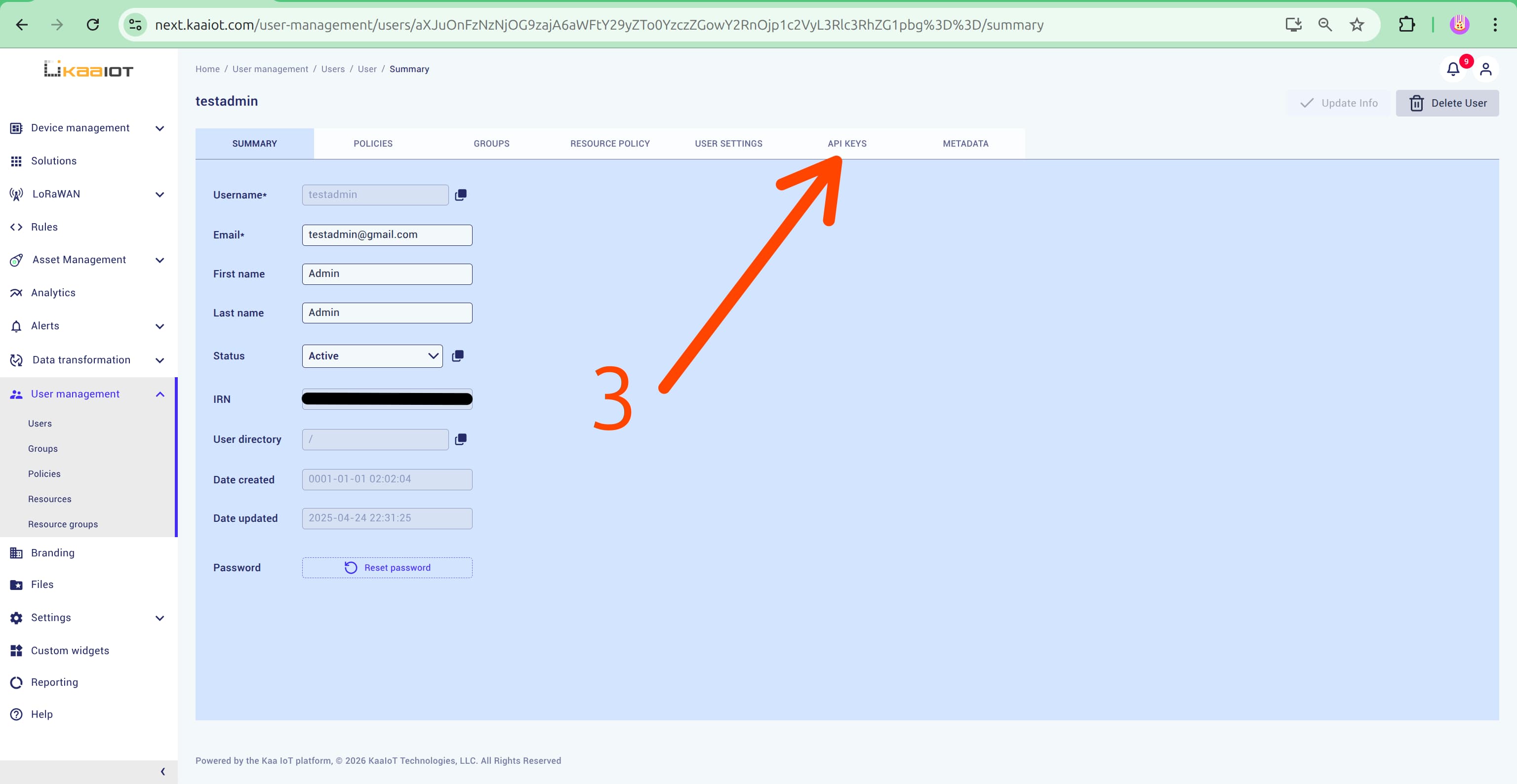
- Open the API Keys tab.
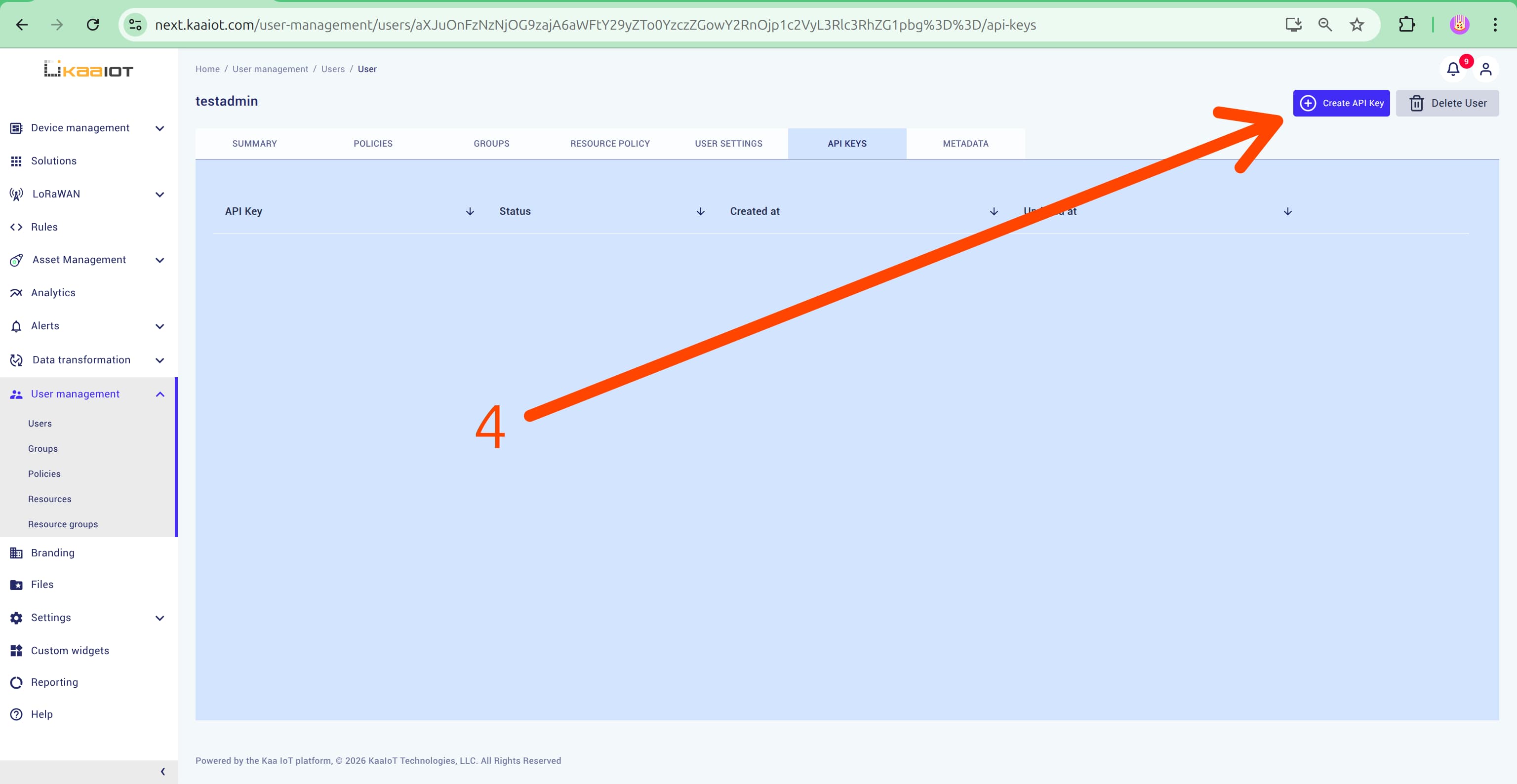
- Click Create API Key.
How to Apply an Access Token
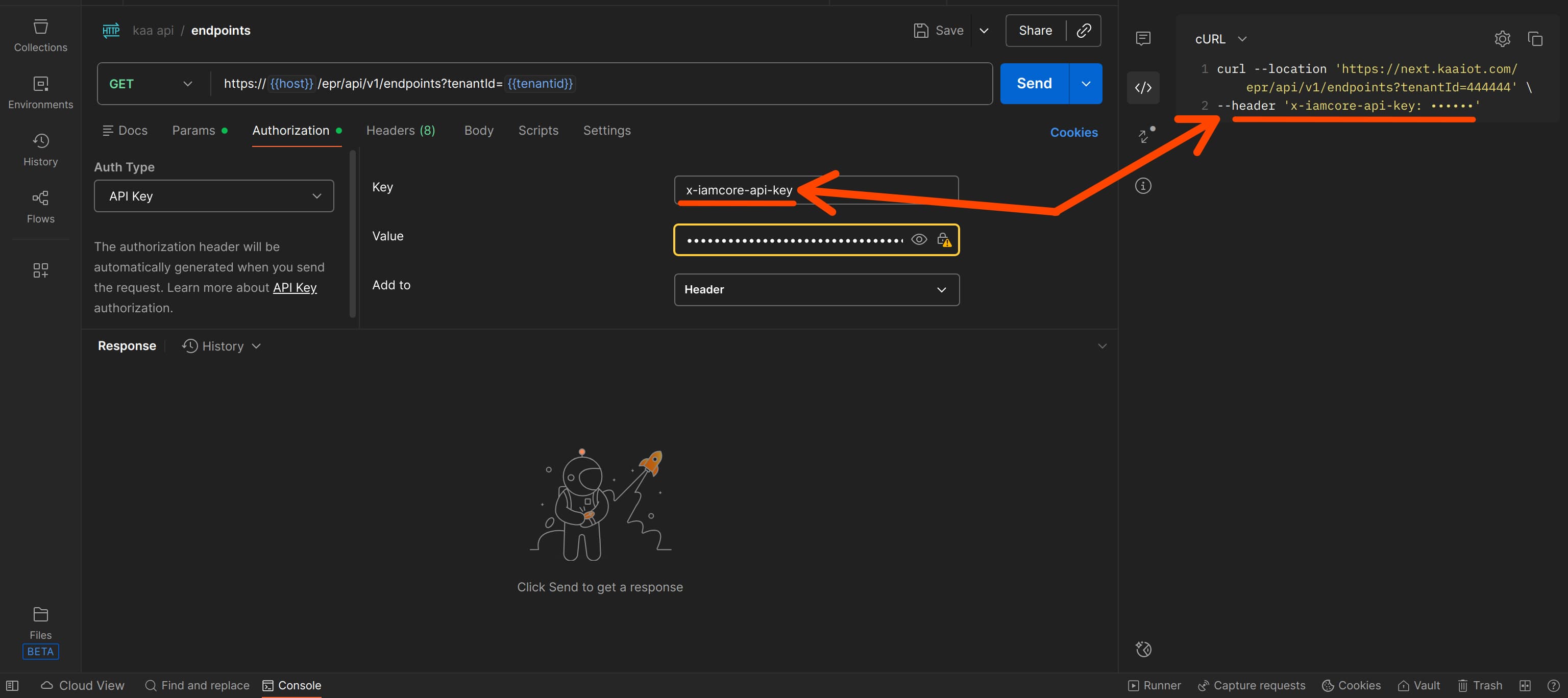
To access your resources and successfully make aKaa Next API request, include your access token in the x-iamcore-api-key header.
X
![]()