












Industrial control that just works
We did the hard part. You just work with your agent.
An industrial controller with integrated software for local automation, operator screens, alarms, and cloud connectivity. Connect your equipment and configure how it operates—all from your browser.
If it can be measured and switched, KaaIoT One can run it. Control, operator screens, alarms and history, in one device.
Four products in one.
A PLC, an operator panel, a historian and a cloud gateway. Now one device.
Nothing to install.
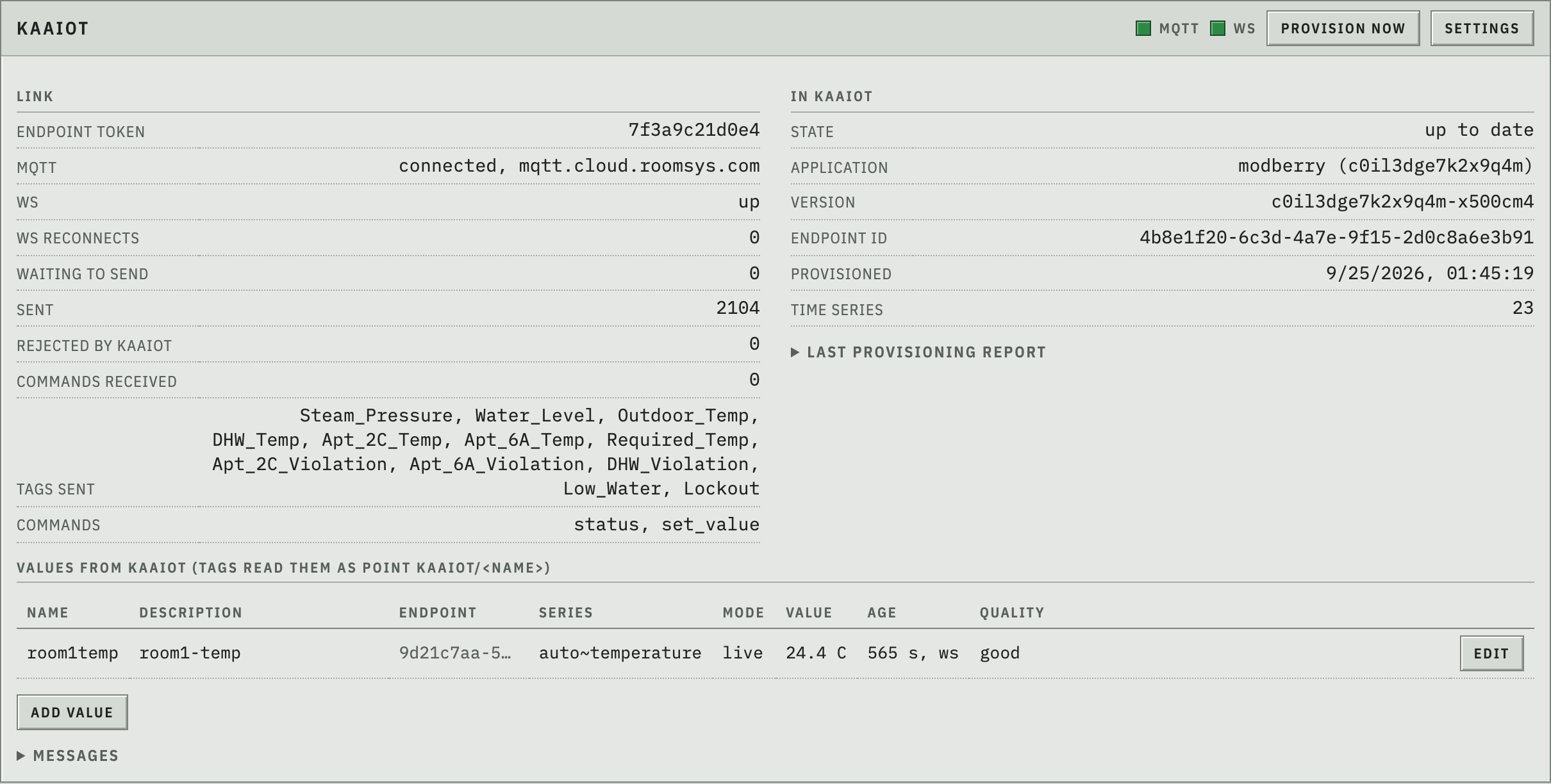
Open the controller's address from any computer. Logic, tags and screens are right there, with live values on every wire.
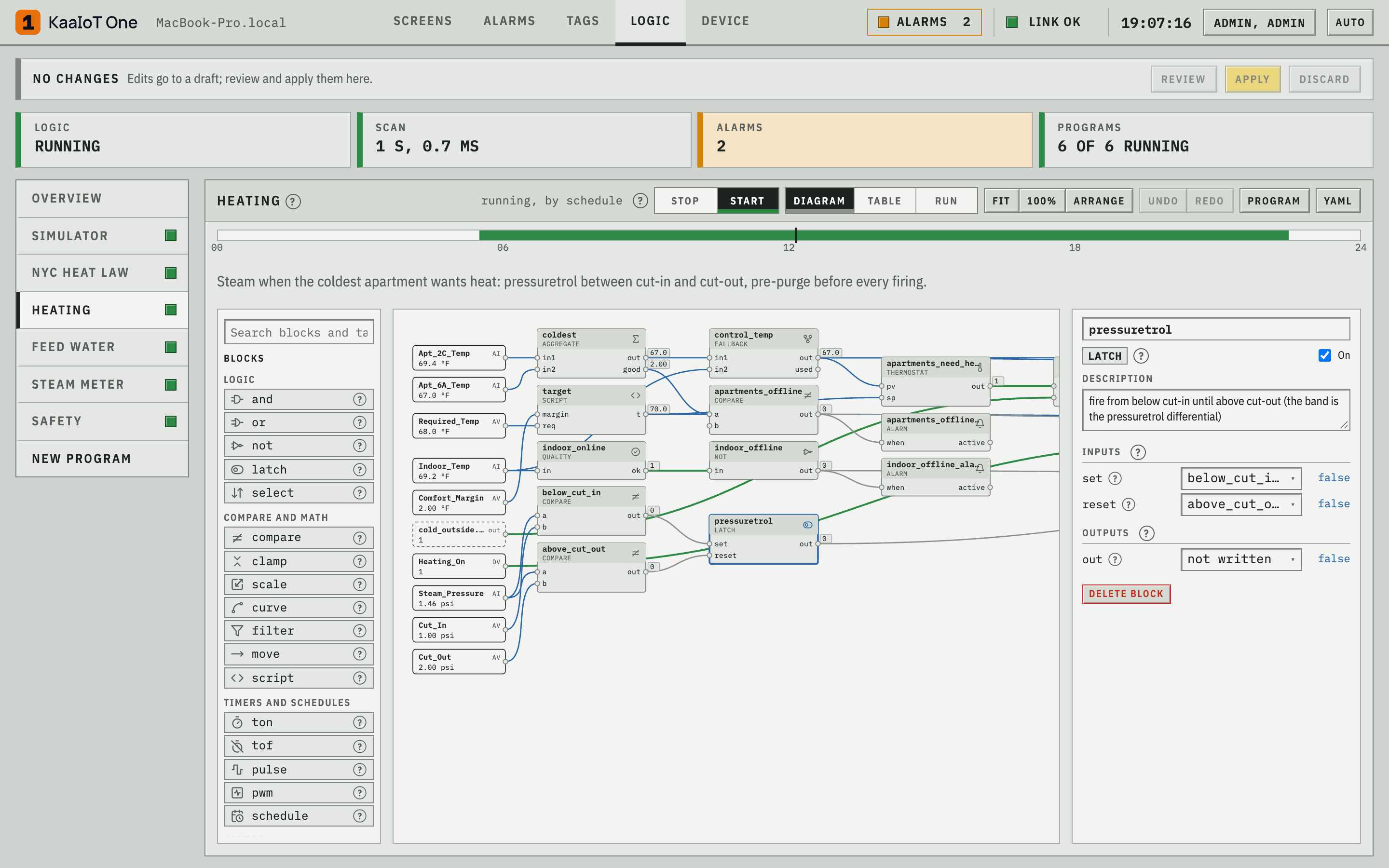
Ask. Review. Apply.
Connect Claude Code or any MCP client. Your agent reads the live plant and drafts logic and screens. Your engineer reviews the draft and applies it.
Connect what your plant already has.
Sensors on the inputs, field devices on RS-485 and Ethernet, relays for pumps and burners. Industrial hardware: TECHBASE ModBerry 500.
4 digital out, 4 configurable
4 relays
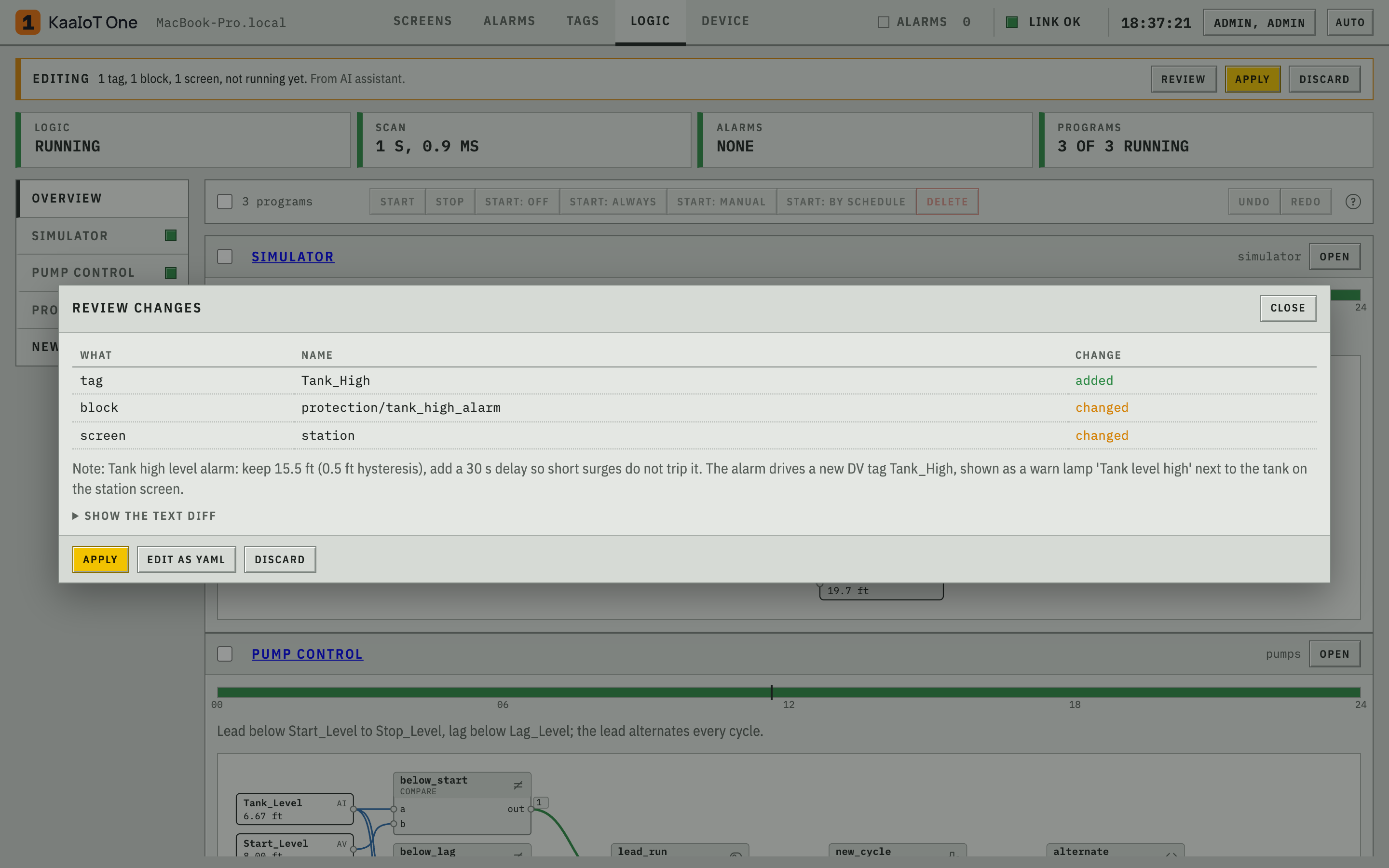
HMI and SCADA, built in.
Operator screens, trends, alarms and history on the controller. Every site in one place through KaaIoT.
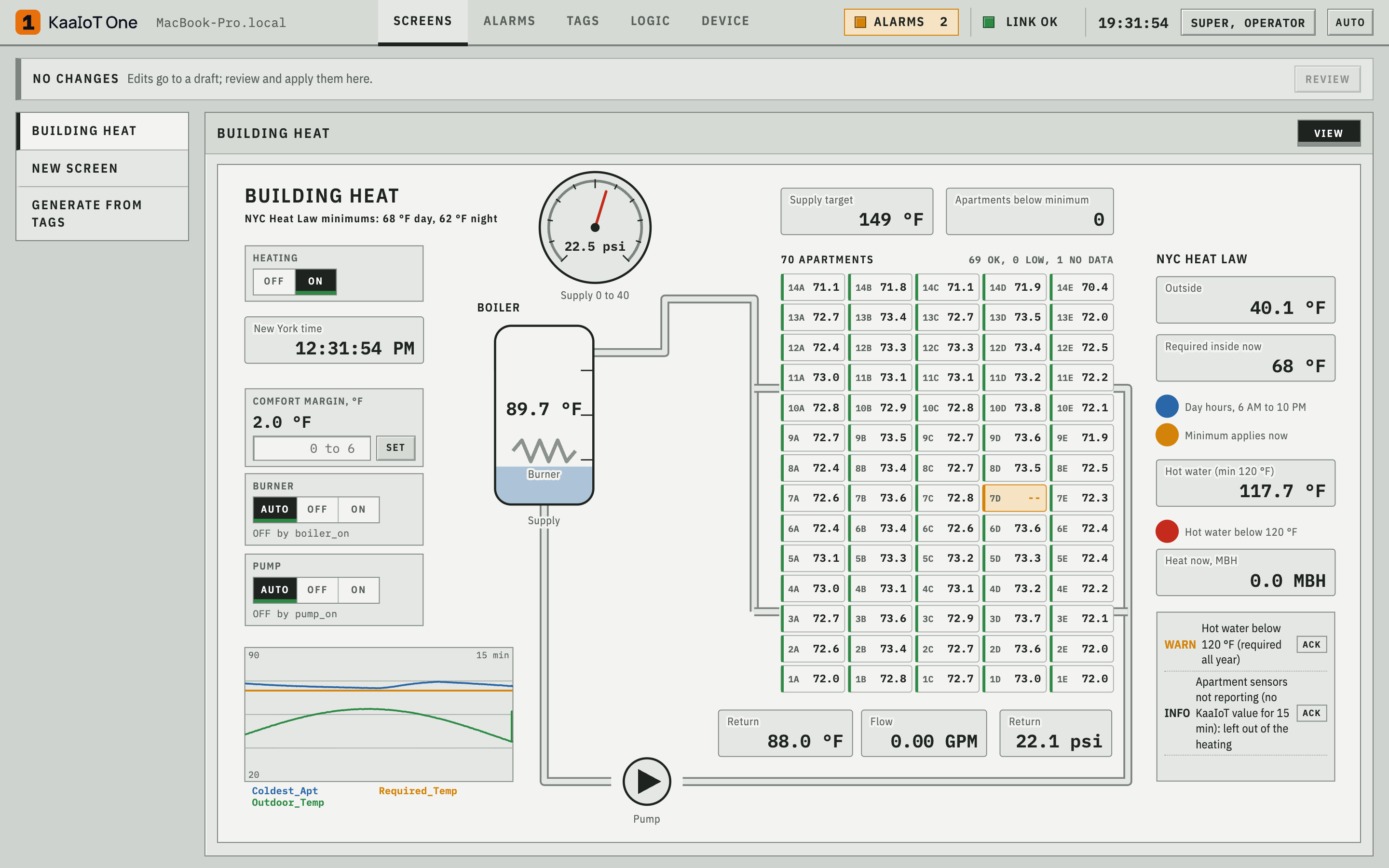
KaaIoT Cloud, connected.
Send your data to KaaIoT dashboards, and bring data in: LoRaWAN sensors and any other device connected to KaaIoT become ordinary tags in your logic.
Running in four steps.
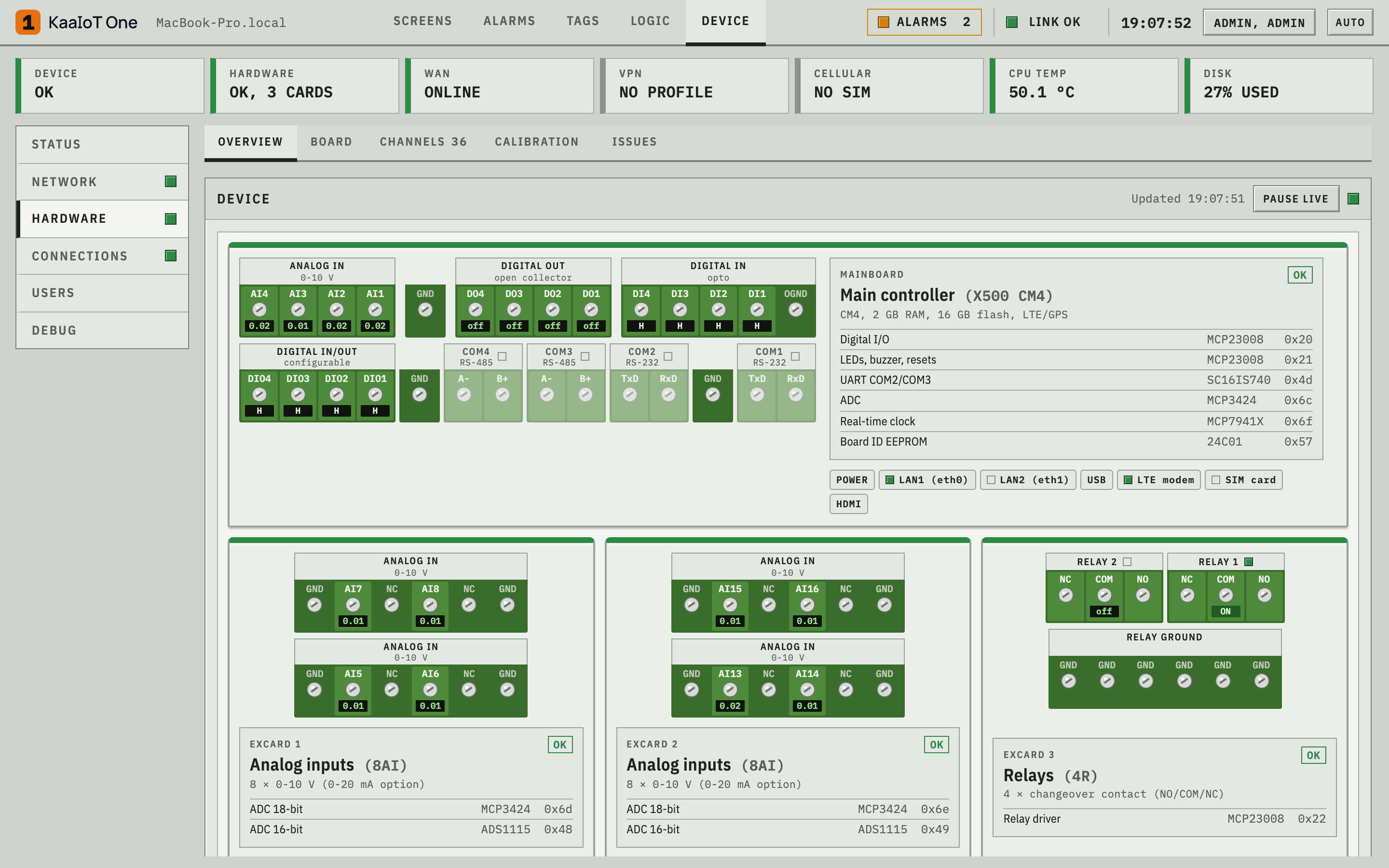
Power it up.
It finds its own board, cards and channels, and shows them with live values. Nothing to declare by hand.
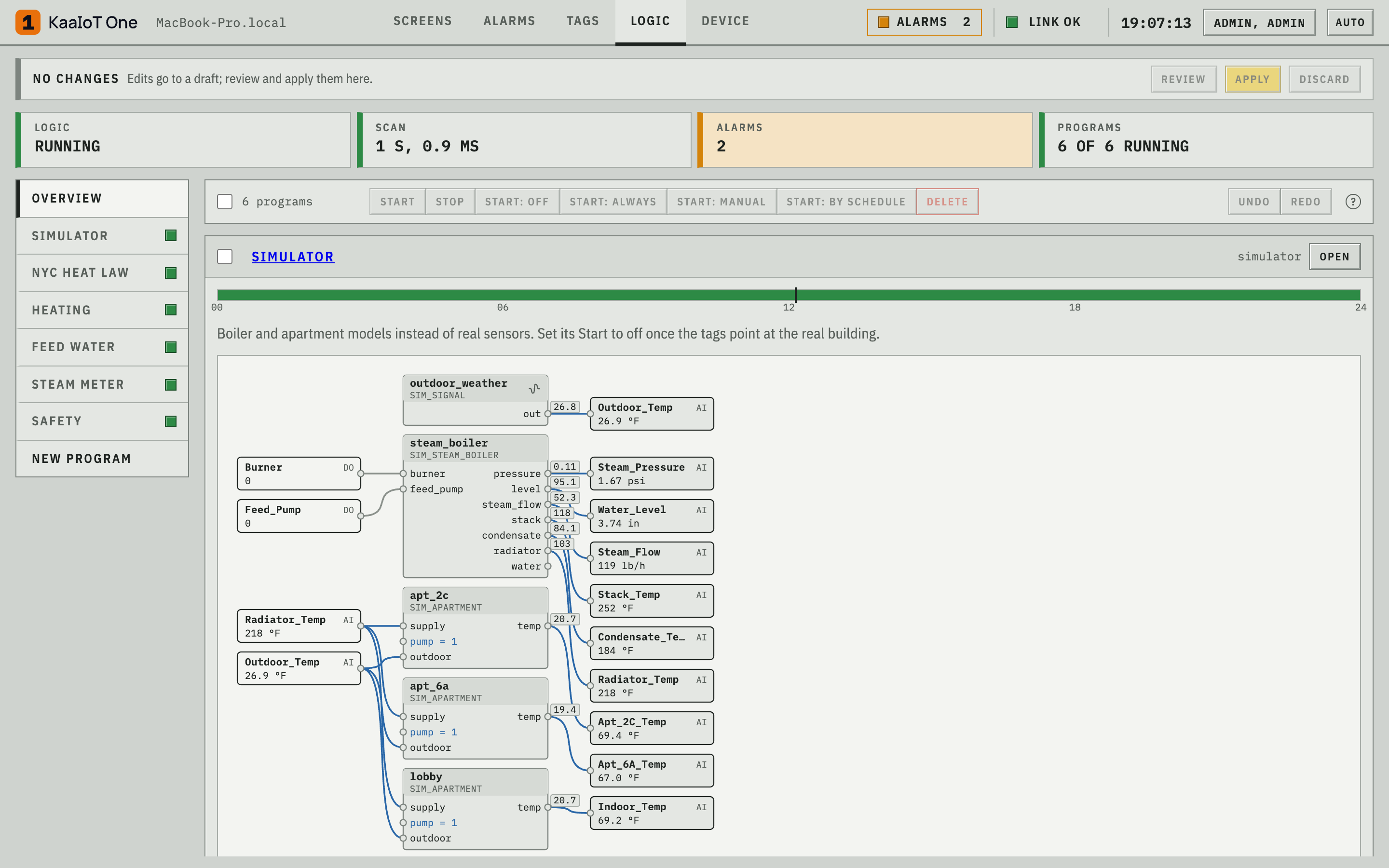
Load a solution.
Pick the closest one. Its logic, screens and alarms start at once on simulated sensors, so you see it work first.
Make it yours.
Every site is a little different. Change a setpoint, a block or a screen in the browser, or describe the change and let your agent draft it. You approve it.
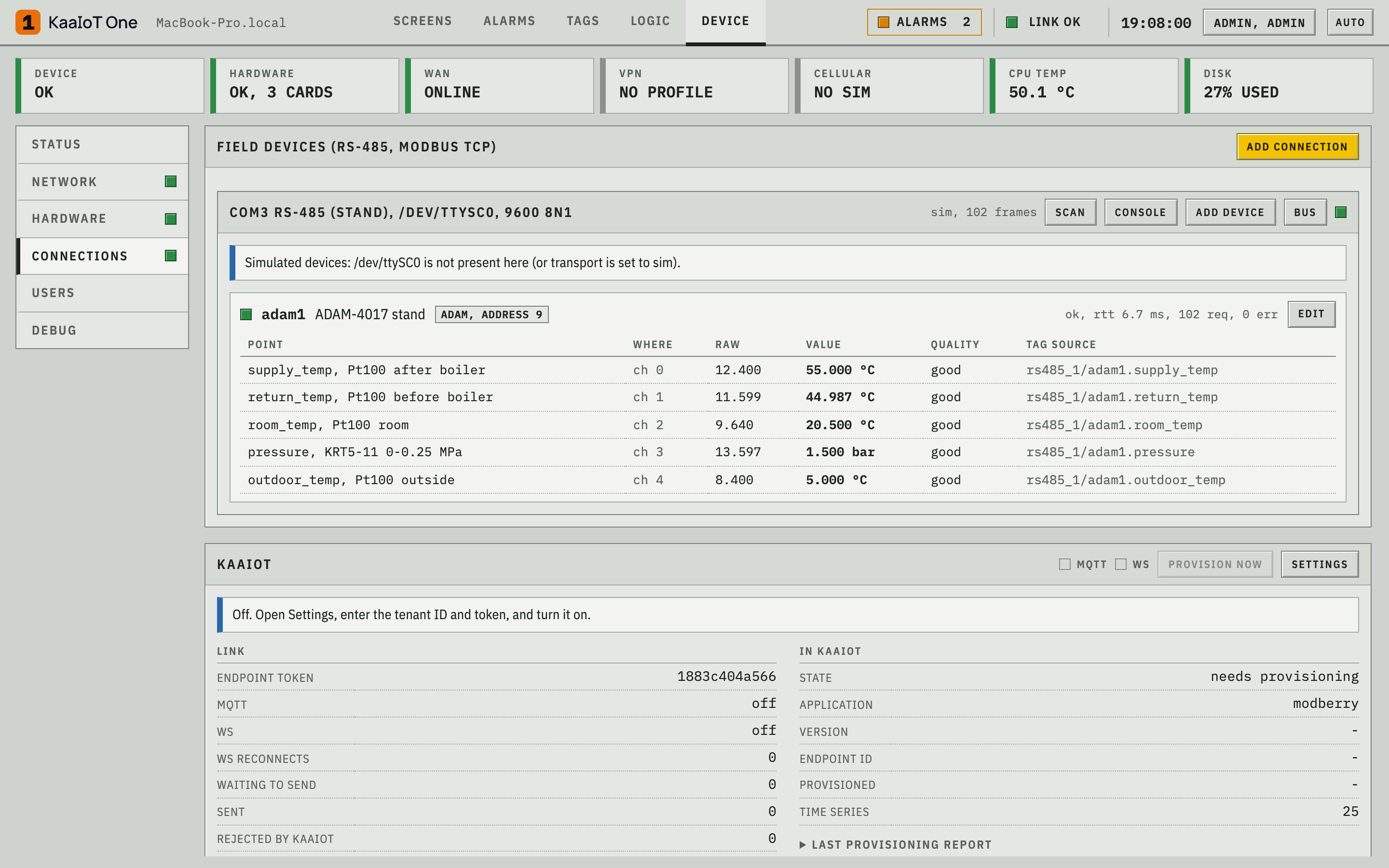
Connect your sensors.
Scan the bus and point each tag at its real input or Modbus device. The screens and alarms work at once, and the values reach your KaaIoT dashboards.
Just ask.
Describe what the plant should do. Your agent drafts it. Your engineer approves it.
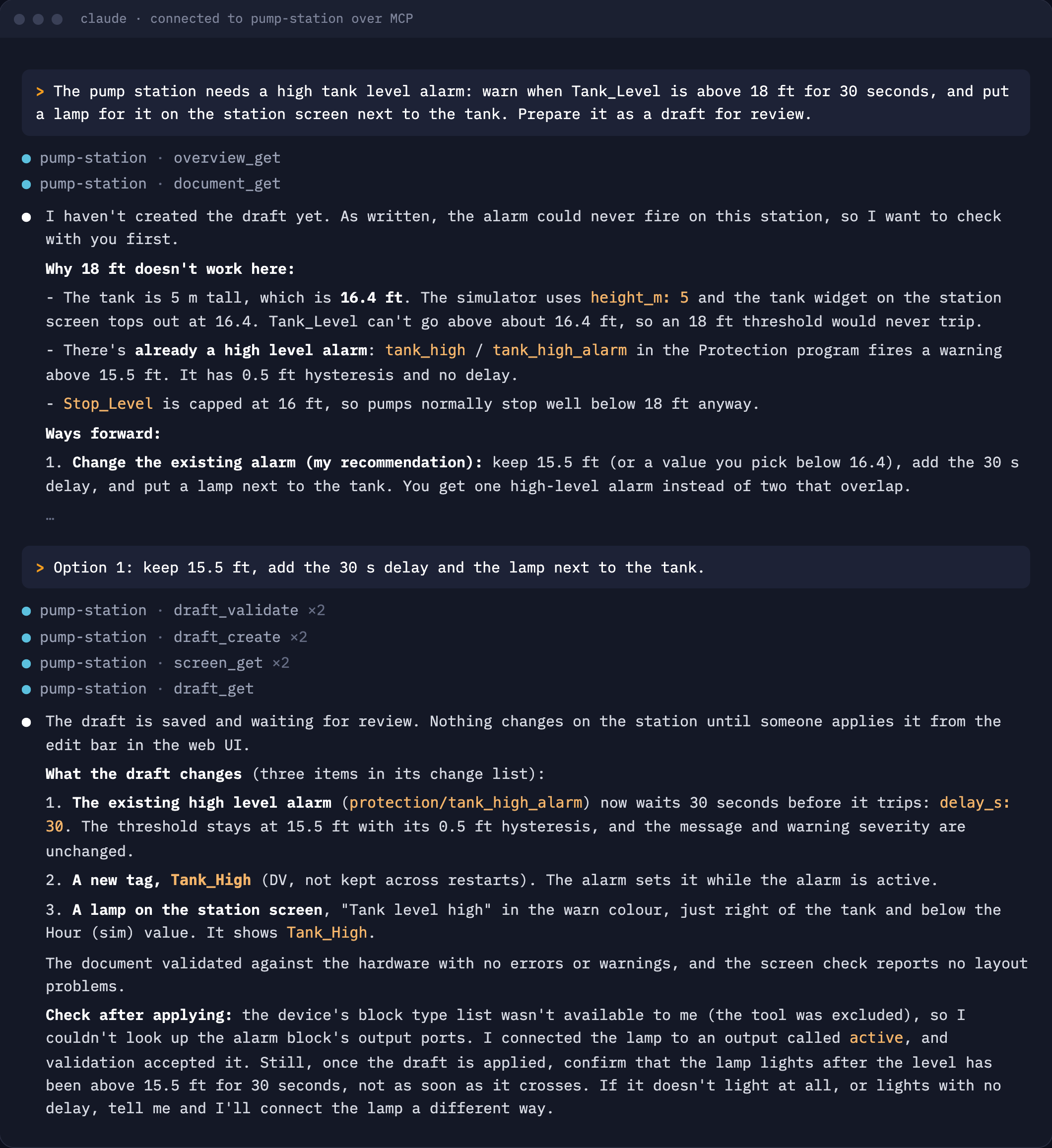
Plain words in.
No block names, no register maps. The agent reads the plant, its live values and its history.
A draft out.
Logic, screens and alarms, built step by step and explained. You see what changes before you apply it.
It never touches the plant.
The agent cannot apply a change, switch an output, write to a device or open the firewall.
claude mcp add --transport http plant http://<device>:8080/mcp --header "Authorization: Bearer <token>"
Claude Code or any MCP client. One command.
Yours. Not a vendor's.
Industrial hardware, standard protocols, and a project you can read.
# a tag, as it sits in the project
- name: Steam_Pressure
  kind: AI
  unit: psi
  source: {type: channel, ref: x1.ai1}
  history: true
  cloud: true
# and a rule that uses it
- id: high_pressure
  type: compare
  inputs: {a: Steam_Pressure, b: Max_Pressure}
  params: {op: gt}
KaaIoT One.
Industrial control that just works. A PLC, an operator panel, a historian and a cloud gateway in one device, on industrial hardware with standard protocols. Running in four steps, with an AI agent that drafts and an engineer who approves.
Order